 Reviewed by MERRYPH Brand Team
 Your Mobile Gaming App Play Across the Philippines
Access slots, fishing games, live casino tables, sports, lottery titles, your account wallet, payment options and customer support from your Android phone. GCash, PayMaya, bank cards and cryptocurrency are supported payment methods. For adults aged 21+ only—set limits and play responsibly.
Already registered? Log In Sign in to view the available app download option.
Supported Payment Options
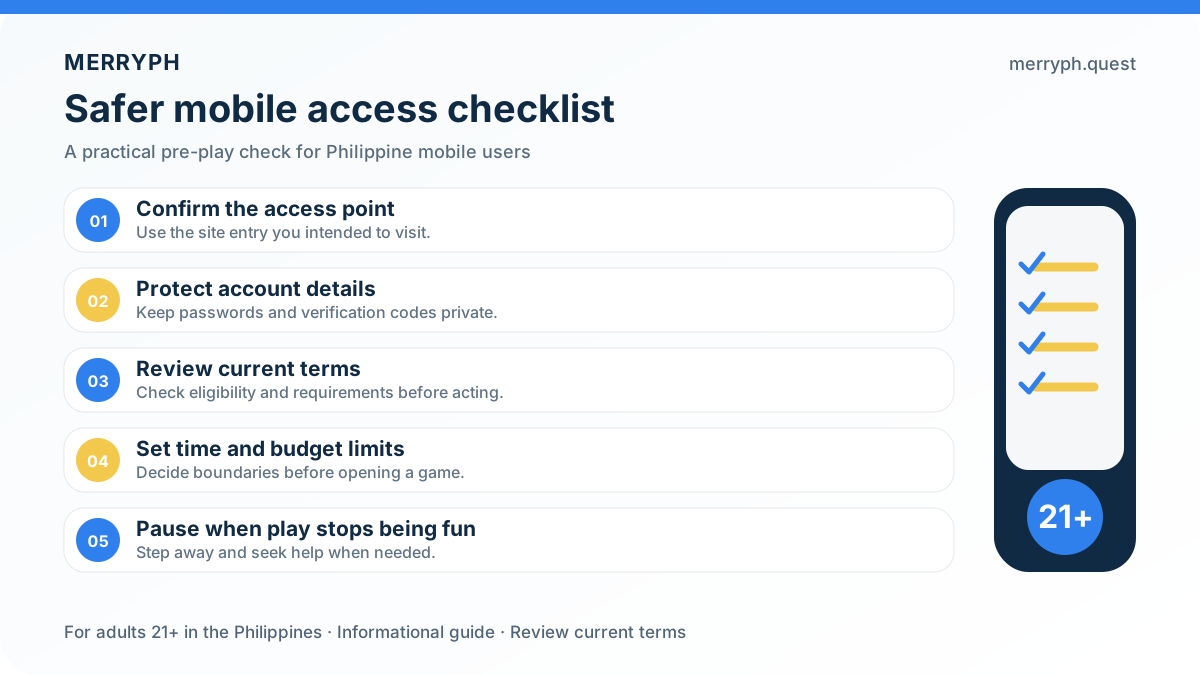
How to Install the Mobile App
Follow these four straightforward steps to start accessing games on your Android device.
Register or Sign In
Create an account using a valid mobile number, username, password and captcha, or sign in with your existing details. Eligible users can then check the account dashboard for the Android download option.
Permit APK Installation
Open your Android security settings and allow installation from the source used to download the APK. Menu names may differ depending on your phone model and Android version.
Download the APK File
Select the download option in your account, wait for the APK file to finish downloading, then open it and follow the on-screen installation prompts.
Download and Play
Download the available Android app, open the APK file, and follow the installation prompts. Once installed, sign in using your existing account details and access your games from your mobile device. Only install files from trusted sources and review your device security settings first.
What the MERRYPH App Offers Members
Designed for Philippine players using Android and mobile devices
Quick Access Without Repeated Browsing
The mobile app gives you a direct route to your account and available games without repeatedly typing a web address. Open the app, sign in when needed, and browse the MERRYPH game categories from your phone.
Convenient Payment Options
MERRYPH supports mobile-friendly payment access through GCash, bank cards, PayMaya, and cryptocurrency. Check the payment page for the currently available option, minimums, processing details, and any applicable terms before confirming a transaction.
Stay Updated on Account Notices
Keep track of current promotions, account information, and service announcements through the platform. Promotion details, eligibility, and availability may change, so review the latest terms before participating.
Account Access on Your Device
For your protection, use the app only on a device you control. Keep your login details private, enable suitable device security, and sign out when using a shared phone. Never assume that a session should remain active indefinitely.
Explore Games in One Place
Browse a broad selection across Slots, Fishing, Live Casino, Arcade, Sports, and Lottery. Popular choices include Super Ace, Fortune Gems, Tongits Go, Gates of Olympus 1000, Ocean King Jackpot, and Speed Baccarat A, with availability depending on the current platform listing.
Support Wherever You Play
MERRYPH provides 24/7 online customer support for questions about account access, payments, games, and safety. English and Filipino support are available, with response times varying according to enquiry volume. Avoid sharing passwords or payment credentials in chat.
Why Mobile Access Works Well for Philippine Players
A mobile-first setup makes it easier to check your account and browse available games while on the go. The app and mobile access options provide a convenient alternative to opening a browser for every visit, while the same responsible participation standards still apply.
MERRYPH offers access for Android and iOS mobile users through the available app resources. Before downloading, check that your phone has enough storage, a stable connection, and current security updates. Game performance and loading speed can vary by device, network conditions, and traffic.
Payment Choices for Mobile Members
Mobile members can review available deposit and withdrawal methods, including GCash, bank cards, PayMaya, and cryptocurrency, from the payment section. Confirm the recipient details, fees, limits, processing information, and current promotion conditions before proceeding. All gaming is for adults aged 21 and above; set a budget and play responsibly.
Withdrawals can also be managed through your mobile account. Open the withdrawal section, choose an available payment method such as GCash, PayMaya, a bank card or cryptocurrency, and follow the verification steps shown. You can check your balance and transaction status without needing a desktop browser. Processing times may vary based on the selected method and the current terms.
Helpful Tip For a smoother withdrawal experience, keep your payment details accurate and up to date in your MERRYPH account. Review the recipient information carefully before confirming any transaction, and use only payment methods registered in your own name where required.
Is the MERRYPH App Safe to Install?
MERRYPH provides mobile access through the official Android APP and IOS LITE-APP options listed in your account. Always use the download option provided through the official MERRYPH experience, and review the installation and security prompts on your device before proceeding. Never share your username, password or payment details with anyone.
If your device displays a warning when installing an app outside its usual app marketplace, read the prompt carefully and continue only when you are certain that the file came from the official MERRYPH account area. You may review your device permissions after installation and disable any setting you no longer need.
Security Reminder Download the MERRYPH app only through the official account access provided by MERRYPH. Avoid APK files or download links from unofficial websites, messages or third-party pages claiming to represent the platform, as these may be altered or created to collect personal information.
Which Mobile Devices Are Supported?
MERRYPH offers mobile access through Android and iOS options. Before downloading, check the compatibility details displayed on your device and in the official account area. Availability may depend on your operating system, device settings and the current app version.
For the best experience, keep enough free storage available, use a stable internet connection and install system updates when required. If you encounter an access or compatibility issue, contact the MERRYPH support team through the available online support channel for assistance.
Keeping the App Up to Date
Check the official MERRYPH account area regularly for the latest Android APP or IOS LITE-APP version. Follow the on-screen instructions when an update is available, and confirm that you are using the correct official download option. Review your account information after updating and contact support if anything appears unusual.
Keeping your mobile access updated can help you use the latest available features and security improvements. Only install updates from the official MERRYPH source, and stop using any file or link that comes from an unverified third party.
App or Browser: Which Mobile Access Option Suits You?
- Mobile Access: MERRYPH offers mobile access through Android and an iOS Lite app, giving members a convenient way to reach supported games and account features on compatible devices.
- Convenience: Save the official MERRYPH access page to your device for a simpler way to return to your account, games, and member features.
- Updates: Check the account dashboard for current promotions and important account updates. Availability and terms may change, so review the latest details before participating.
- Payments: MERRYPH supports convenient payment options for Philippine players, including GCash, bank cards, PayMaya, and cryptocurrency. Payment availability may depend on the current account and transaction requirements.
- Mobile Experience: The mobile experience is designed for players who want to access MERRYPH games and account tools while using a smartphone or tablet.
You may also use MERRYPH through a mobile browser if you prefer not to install an app. Mobile access lets eligible members manage their account, explore games, and review available payment options, subject to current platform terms.
MERRYPH App Details
| Available Platforms | Android and iOS Lite |
| Android App | Android access is available; check your device compatibility before installation. |
| App Options | Android app and iOS Lite app |
| Cost | Free access; gameplay, promotions, and account requirements are subject to current terms. |
| Supported Payments | GCash, bank cards, PayMaya, and cryptocurrency |
| Language | English |
| Help Centre | Customer Support |
| 24/7 online customer service | Account Assistance |
Contact support for help with account access, payments, and mobile setup.
Games Available on Mobile
Browse MERRYPH game categories on mobile, including Slots, Fishing, Live Casino, Arcade, Sports, and Lottery. Game availability can vary by device and account status.
Need Help With the App?